For shops & restaurants

Open your shop on 2BB2

Three steps from download to your first order. Set up your storefront, let our AI turn your menu into a catalog, and start selling to the people in your town.

Get the 2BB2 Business app:

Hi, I'm BI'll walk you through it. Have your logo, a few photos and your menu ready.

B, the 2BB2 cat, in a white shirt and suspenders
Setup

Three steps to go live

1. Create and secure your account

Download 2BB2 Business and sign up. Your account comes with its own wallet, so customer payments land with you directly.

  • Choose Shop as your type. It covers both shops and restaurants.
  • Pick your shop's name and handle, and save them.
  • Save your passphrase (Wallet → Settings → Passphrase) somewhere offline. It secures your account and is the only way to restore it on another device.
  • Use Link a device to run the same shop from a second phone or a tablet at the counter.
App Store

2. Set up your shop

Open Home → Shop and tap the pencil icons.

  • Name, logo or main image, and a short description.
  • Gallery: your storefront, your counter, your best dish. Three to five photos is plenty.
  • Opening hours. Set one day, then apply it to the whole week.
  • Enable deliveries when the app offers it in your area.
  • Check your commission contract status under Manage.
B's tipRunning more than one place? Add a second shop to the same account with Switch workspace.
Home → Shop

3. Set up your catalog or menuAI

Tap Import Catalog and upload your menu as a PDF, a photo (JPG, PNG) or a spreadsheet (CSV, XLSX), up to 10 MB per file. Our AI turns it into a draft catalog in minutes.

  • Review the draft: keep or drop items by category, then publish.
  • After that, edit anything: items, categories, prices, photos, ingredients, options and sizes.
  • Add tags like Organic, Healthy or Local products so customers find your items faster.
  • Prefer doing it by hand? Add and edit items yourself in Home → Catalog.
Home → Catalog
Inside the 2BB2 app

What your customers see

Home

Your storefront with logo, hours, tags and full menu. Customers follow you, browse by category, customise items and order in a few taps.

  • Delivery, pickup or dine in, chosen at checkout.
  • Fees shown upfront, before they order.
  • Mew, our in-app shopping assistant, suggests your shop when someone asks for what you sell.
  • On the Explore map, people see which shops near them are open right now.
  • Your posts, reels and stories show up in your followers' Economy feed.
After launch

Your day on 2BB2

Orders

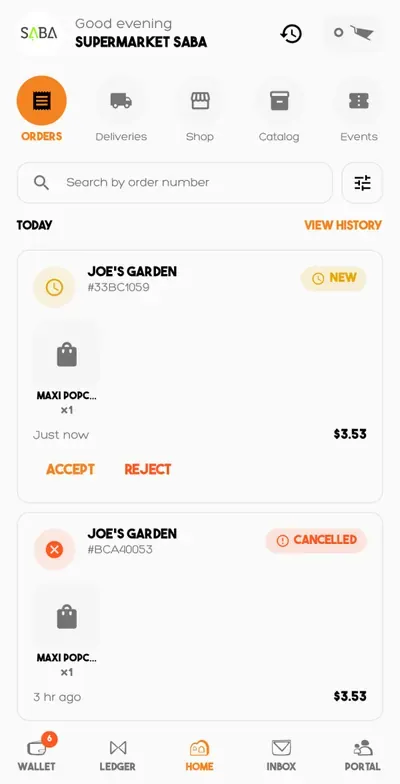
New orders land in Home → Orders. Accept or reject in one tap, with your full history close by.

Orders tab with a new order to accept or reject

Deliveries

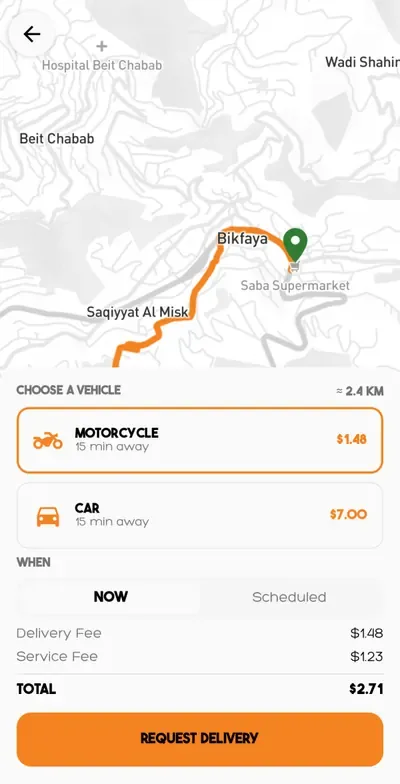
Dispatch a driver by motorcycle or car, now or scheduled. You see which drivers are available before you call one.

Delivery request with motorcycle and car options

Wallet & ledger

Check payments, bills and settlements in Wallet and Ledger. Withdraw by cash pickup or Whish.

Wallet

Portal

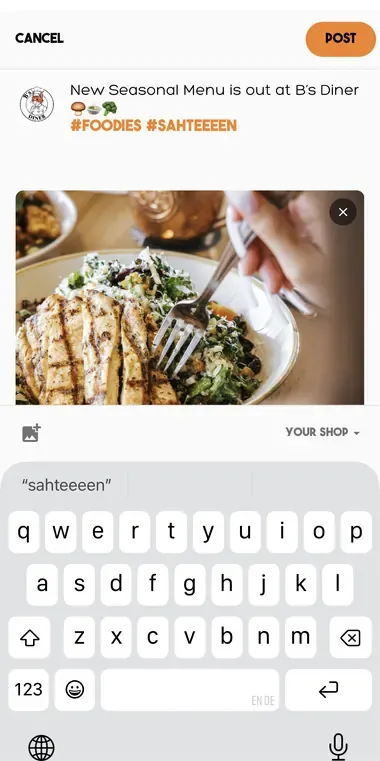
Post photos, reels and stories from Portal. They reach everyone who follows your shop.

New post composer in Portal